
Status: AVAILABLE
Open Settings using the gear icon at the top right; Done closes the settings.
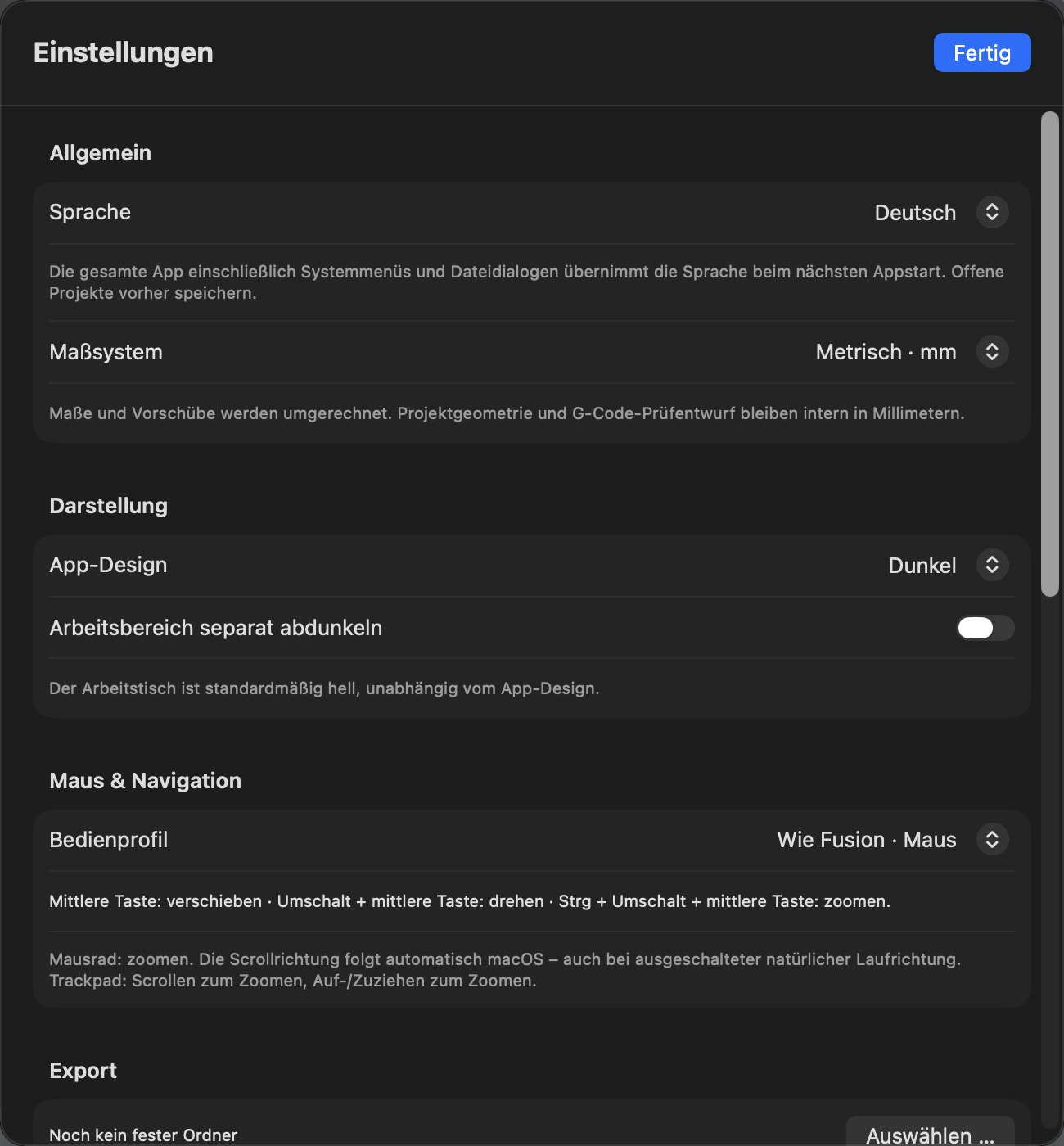
| Section | Setting | Explanation |
|---|---|---|
| General | Language | German or English. The entire app, including system menus and file dialogs, adopts the language at the next start. Save open projects first. |
| General | Measurement system | Metric (mm) or inches. Dimensions and feeds are converted; project geometry and machine files remain internally in millimetres. Values are always saved exactly. |
| Appearance | App theme | E.g. Dark or Light. |
| Appearance | Darken workspace separately | The worktable is light by default, independently of the app theme. |
| Mouse & Navigation | Control profile | E.g. “Like Fusion · Mouse” (see Navigation). |
| Export | Export folder | Choose … sets the folder in which the export dialog starts. |
| License | Status, devices, slots, computers | License status and validity period; My devices …, Devices and connections …, Manage machine slots …, Manage computers … (IN DEVELOPMENT – the production licensing service is not yet connected). |
| Version & Updates | Check for updates | Version display; update service IN DEVELOPMENT. |