
Click Device in the top bar.
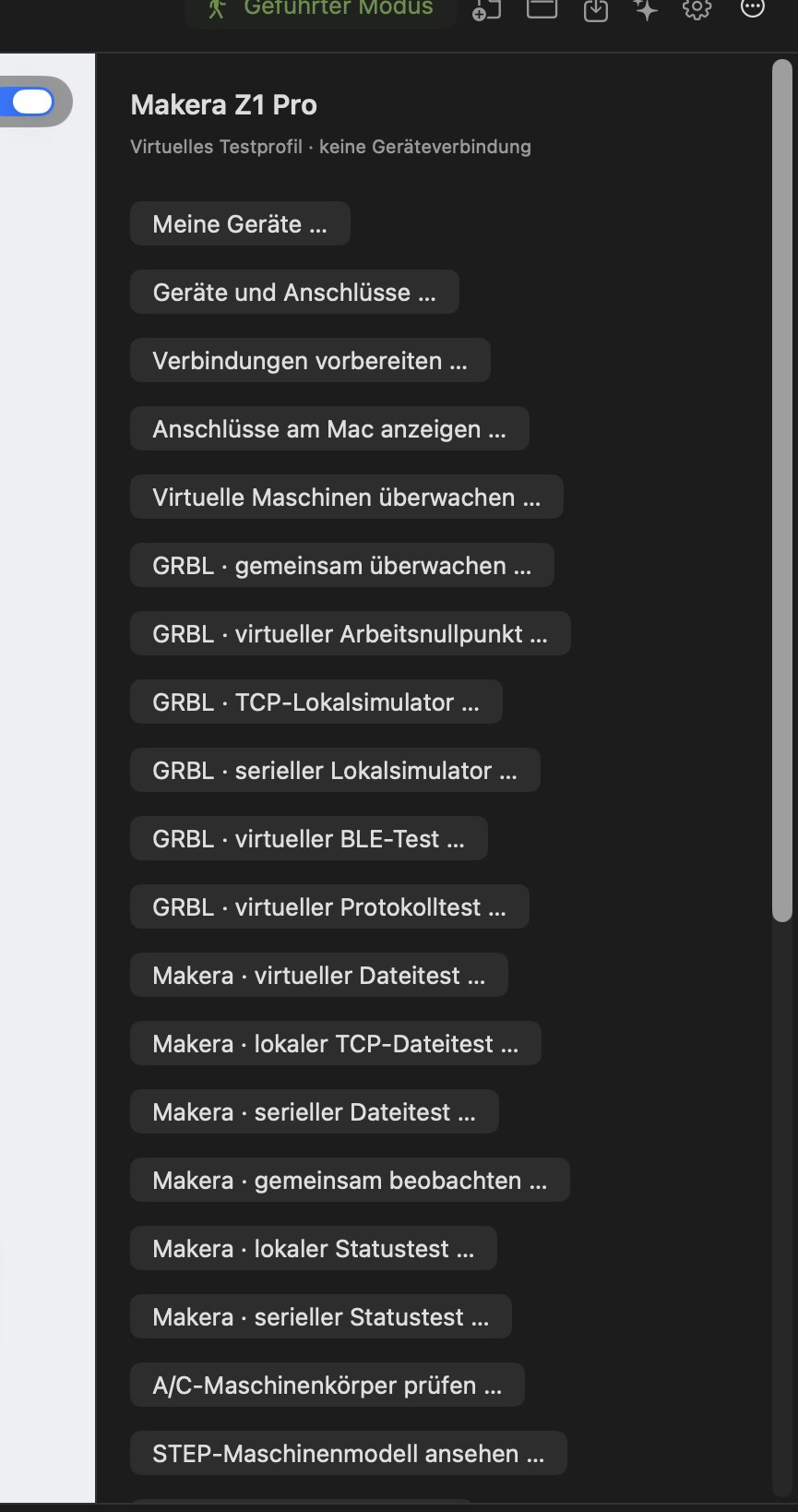
At the top, this area shows the active machine profile (e.g. “Makera Z1 Pro · Virtual test profile · no device connection”), followed by these functions:
| Button | Purpose | Status |
|---|---|---|
| My devices … | Create records for your own real devices (manufacturer, model, name) | EXPERIMENTAL |
| Devices and ports … | Link devices with ports and a profile | EXPERIMENTAL |
| Prepare connections … | Prepare connection details (USB/serial, network, Bluetooth) without connecting | EXPERIMENTAL |
| Show ports on this Mac … | Read detected serial/USB ports only | AVAILABLE |
| Monitor virtual machines … | Observe the built-in simulators together | EXPERIMENTAL |
| GRBL · … / Makera · … (virtual tests) | Test connection, file, status and zero point on simulated machines | EXPERIMENTAL |
| Check A/C machine bodies … | Virtual collision checking of machine parts | IN DEVELOPMENT |
| View STEP machine model … | View a 3D model of a machine as a reference | EXPERIMENTAL |
Machine profiles
Status: AVAILABLE
In addition to the supplied profiles (Makera, STEPCRAFT, TwoTrees), you can create your own machines with working space, spindle-speed and feed limits. Profiles can be exported, imported and archived.
Your own devices and ports
Status: EXPERIMENTAL
You can create records for your real devices with manufacturer, model and display name and assign them to local connections (USB/serial, network/TCP, Bluetooth). Bluetooth device discovery is passive – nothing is connected.
Connect, monitor, control
Status: IN DEVELOPMENT – in the beta, usable only with the built-in virtual machines (simulators).
Planned and checked on virtual machines:
- Monitor several machines simultaneously; control only the selected one.
- Connecting, transferring a file and starting are three separate steps – connecting never starts a job.
- Status display (idle, running, paused, alarm, positions).
- Manual incremental movements (jog) only within confirmed limits.
- Read and set the workpiece zero with read-back verification.
Safety principle: the program never initiates a movement, a spindle or a laser by itself. You deliberately trigger every real action yourself.