
Status: AVAILABLE (Mac, with the installed and licensed 645DF MakeOrbit app)
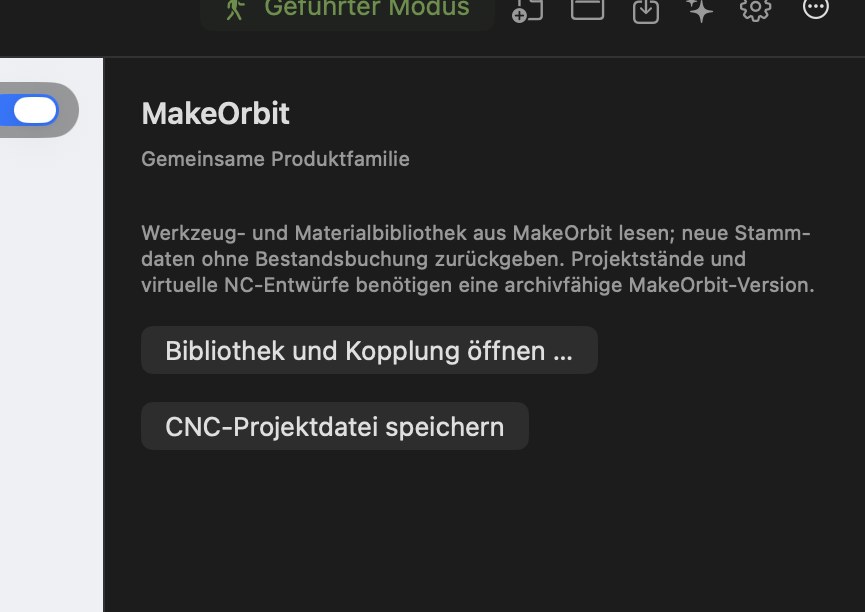
645DF MakeOrbit is the management app in the MakeOrbit family. Together with CNC Studio:
- Tools and materials are read from MakeOrbit. MakeOrbit is the authoritative source: you maintain existing records in MakeOrbit.
- New cutters and material sizes that you create in CNC Studio are transferred automatically to MakeOrbit (without an inventory booking).
- Projects and machine files are automatically archived in the associated MakeOrbit project – including the calculated machining time. From MakeOrbit, you can open an archive directly in CNC Studio again.
The MakeOrbit area offers two buttons: Open library and pairing … and Save CNC project file. You can also find the tool and material library from MakeOrbit in the MakeOrbit tab of the tool library.
Set up pairing:
- Enable CNC sharing in MakeOrbit and copy the pairing key.
- In CNC Studio, select MakeOrbit › Open library and pairing … and paste the key into the secure field.
- The key is stored in macOS Keychain. The apps then synchronize automatically approximately every minute.
The connection runs only locally on your Mac – no Internet or network access. Never share the pairing key.
Windows integration will follow with MakeOrbit for Windows (IN DEVELOPMENT).