
Status: AVAILABLE (planning) · EXPERIMENTAL (laser file export for GRBL)
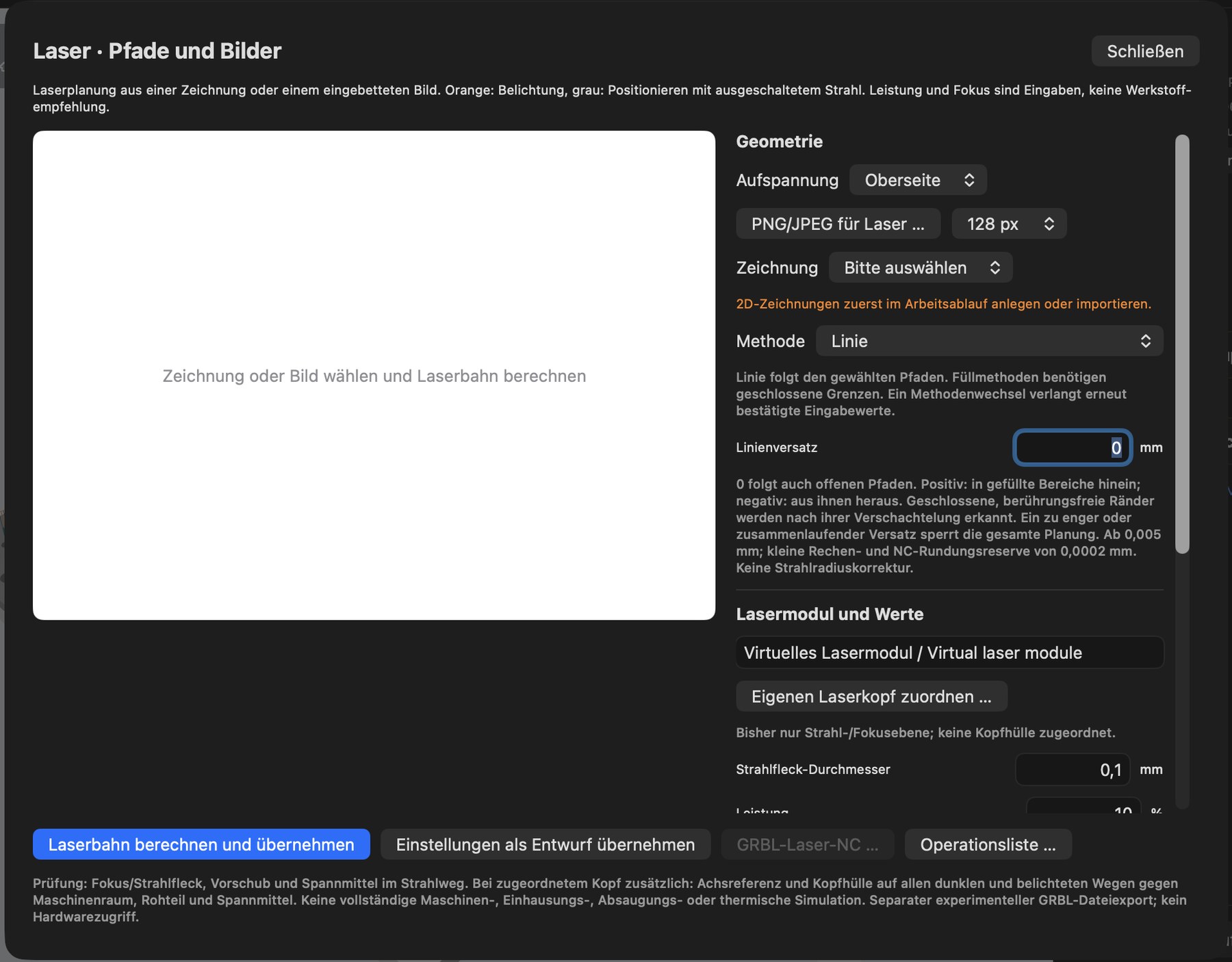
Open via Add operation › Laser · Paths and Images. In the Laser · Paths and Images window:
- Geometry: select a setup, then either PNG/JPEG for laser … (with raster resolution, e.g. 128 px) or a drawing (import or create 2D drawings first).
- Select a method (e.g. line, area fill, contour-parallel fill, image engraving) and set values such as line offset. Changing the method requires the values to be confirmed again.
- Laser module and values: laser module, optionally Assign custom laser head …, spot diameter, power, feed, focus.
- Calculate and adopt laser path, Adopt settings as a draft, GRBL laser NC … (file) or Operation list … (several laser steps).
In preview, orange means exposure and grey means positioning with the beam switched off. Power and focus are your inputs – not a material recommendation.
- Vector lines: the laser follows drawing lines, including line offsets and outline open lines.
- Area fill: raster (rows) or contour-parallel, with angle, spacing and edge inset; multiple areas, cut-outs and islands are recognized automatically.
- Image engraving: grayscale, black-and-white threshold, dithering or error diffusion; brightness, contrast, gamma, rotation, mirroring, row spacing/DPI.
- Laser list: sort and activate several laser operations and plan them together; preview individually or as a complete list.
- Laser head and focus: create custom laser heads with focal distance and offset and save them as templates.
Positioning moves always take place with the beam switched off. The program makes no statement about the effect on the material – test power and speed on scrap pieces.