
Status: AVAILABLE
Click Preview. The program switches to preview mode.
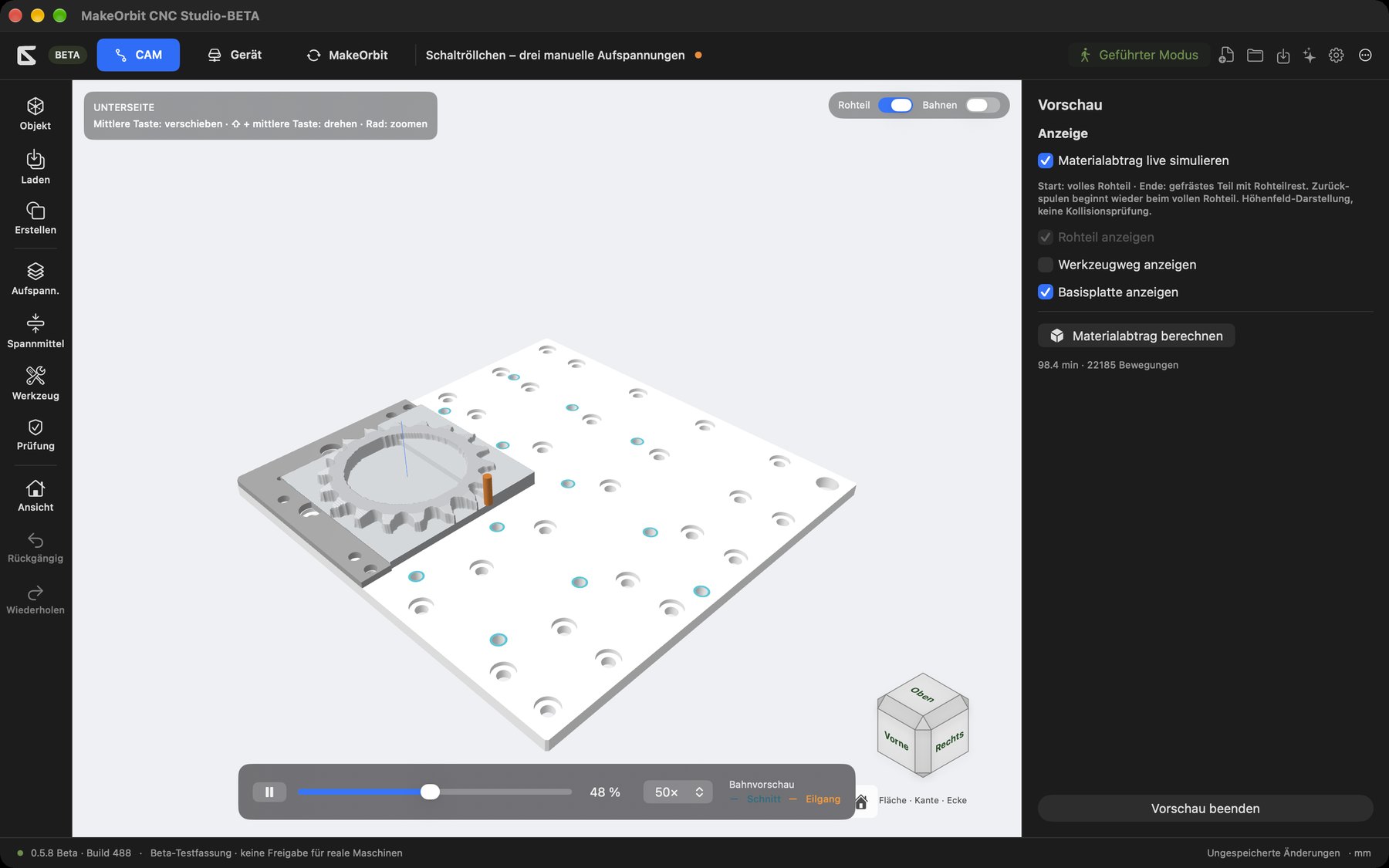
- At the start, you see the full stock. Material is removed during playback; at the end, you see the milled part with the remaining stock. Rewinding starts again from the full stock.
- Playback bar at the bottom: Start/Pause, time slider with percentage display, Speed 1×, 5×, 10×, 20×, 50×. The legend shows Cutting (turquoise) and Rapid (orange).
- Select individual operations and play only those.
- On the right under Display: Simulate material removal live, Show stock, Show toolpath (off by default in preview so the part remains clearly visible), Show base plate.
- Calculate material removal – calculates the removed volume and compares it with the target model (Target comparison: remaining material and undersize are shown in color).
- Toolpath time and number of movements.
- Exit preview returns to the CAM view.
The preview is a visual representation. It does not replace a complete machine collision check.
Project check
Status: AVAILABLE
Use Check on the left to see all notices, warnings and blocking conditions for your project: missing material values, fixture contacts, tool lengths, machine limits and outdated paths.
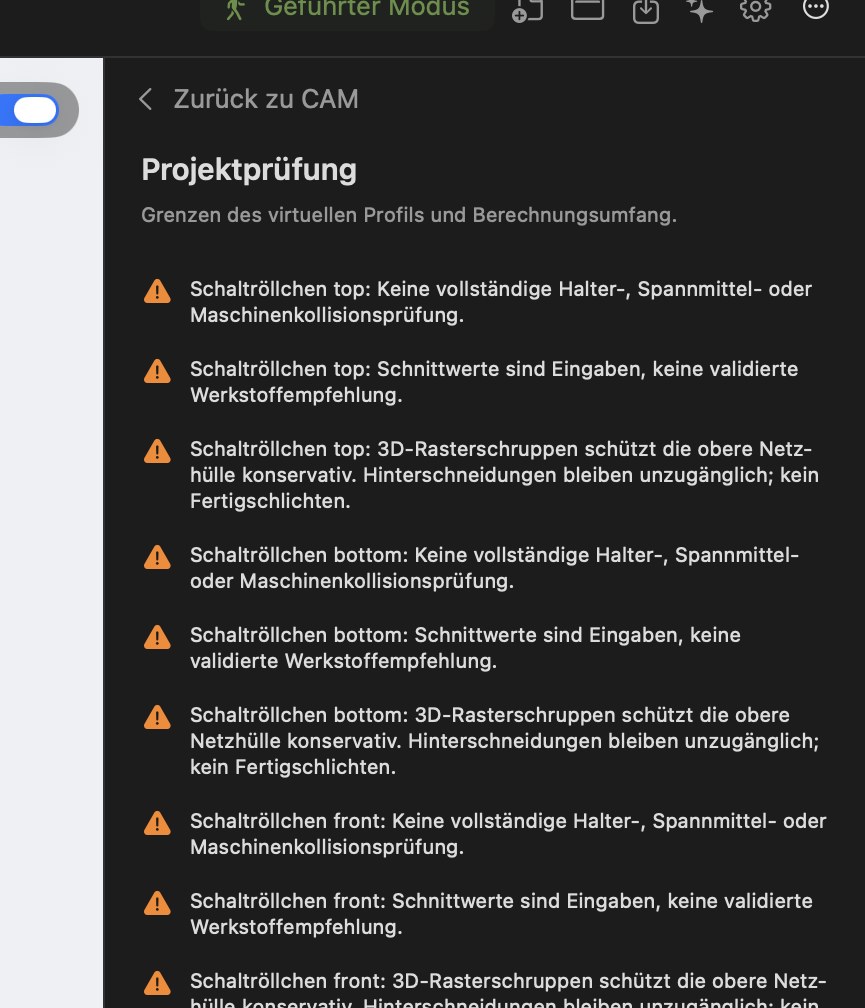
Contact and collision checking
Status: EXPERIMENTAL – tool, neck, holder and fixture contacts are checked; a complete machine collision check is IN DEVELOPMENT.