
Status: AVAILABLE
Click Object on the left. The Part & Stock page opens on the right (use Back to CAM to return). At the top, you can see whether the part is inside the stock (e.g. “Part is inside stock”).
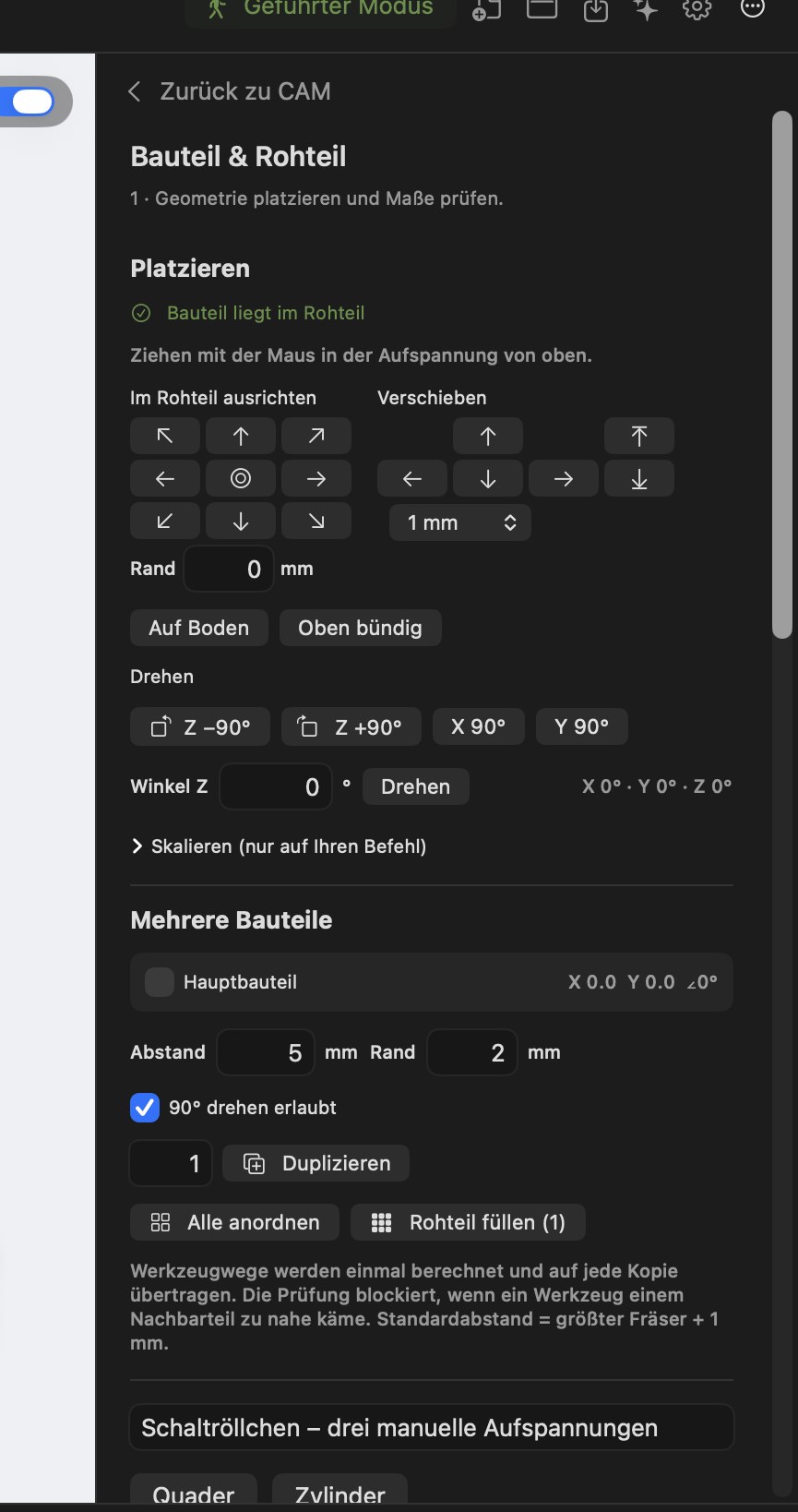
- Drag with the mouse: move the part in the workspace (snapping to a 0.5 mm grid; hold ⌥ to move freely). ⌘- or ⇧-click selects multiple parts.
- Align: 3 × 3 grid (corners, edges, centre) with edge margin; On Bottom and Flush with Top.
- Move: arrow controls for X/Y and Z with steps of 0.1 / 1 / 5 / 10 mm.
- Rotate: Z ±90°, X 90°, Y 90° and a free angle.
- Scale: only on explicit command with confirmation. Warning: STEP and 3MF models are converted to a mesh; CAD-based operations are removed.
- Exact X/Y/Z fields for precise values.
Several parts from one piece of stock
- Duplicate: adds copies and rearranges them.
- Arrange All / Arrange Selection: places parts as compactly as possible in the front-left corner so the remainder of the stock stays contiguous.
- Fill Stock (n): shows how many parts fit with the spacing, edge margin and allowed 90° rotation, and creates them (maximum 200).
- Spacing between parts (default: largest cutter + 1 mm) and margin to the stock edge (default 2 mm).
Part outline instead of a rectangle: Spacing and overlap checks follow the part outline rather than its bounding rectangle, so round or angled parts can sit closer together. Arrange and Fill Stock also try staggered rows, offsetting every second row by half the pitch. For example, with 4 mm spacing, 28 instead of 24 round parts of 20 mm diameter fit on 112 × 150 mm stock. Inward corners such as those on L-shaped parts are enclosed by an outer outline, so those parts are not nested into one another.
Milling paths are calculated once and transferred to each copy. If the tool comes too close to a neighbouring part, calculation is blocked with a clear message.
Limitation: copies are always repetitions of the same part. Several different parts in one project are IN DEVELOPMENT.