
Status: AVAILABLE
Click Export at the bottom and select the format. Only formats suitable for the machine are enabled.
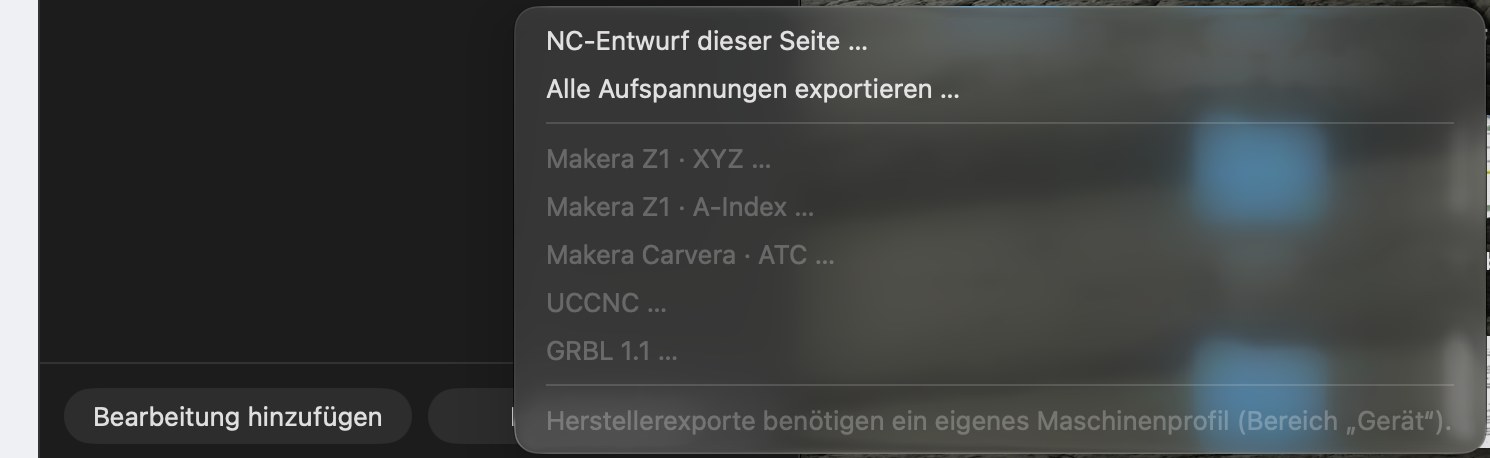
| Menu item | For | Status |
|---|---|---|
| NC draft of this side … | General checked machine file for the selected side | AVAILABLE |
| Export all setups … | Multi-sided package, one file per side | AVAILABLE |
| Makera Z1 · XYZ … | Makera Z1 / Z1 Pro | EXPERIMENTAL |
| Makera Z1 · A-Index … | Z1 with rotary module | EXPERIMENTAL |
| Makera Carvera · ATC … | Carvera with tool changer | EXPERIMENTAL |
| UCCNC … | e.g. STEPCRAFT | EXPERIMENTAL |
| GRBL 1.1 … | GRBL machines, e.g. TwoTrees | EXPERIMENTAL |
| LinuxCNC XYZAC (via More toolpath functions) | Custom 5-axis machines | EXPERIMENTAL |
| GRBL Laser (in the laser window) | Laser modules using GRBL | EXPERIMENTAL |
Manufacturer-specific exports are enabled only once a custom machine profile has been configured in Device (menu notice: “Manufacturer-specific exports require a custom machine profile”).
Export control
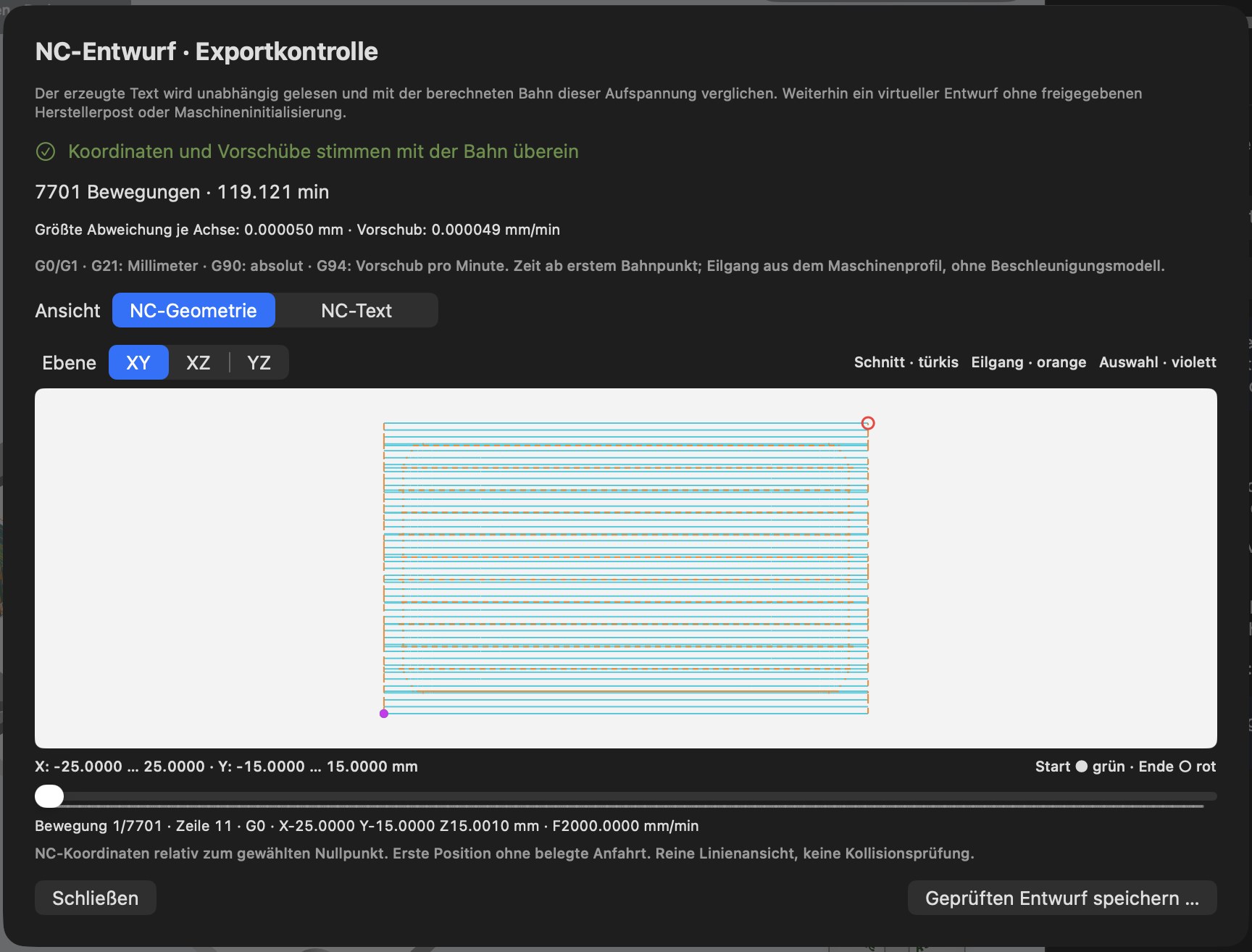
Before a file is saved, the NC draft · Export control window shows:
- The result of the independent re-read verification: the generated text is read back in and compared with the calculated path – e.g. “Coordinates and feeds match the toolpath”, maximum deviation per axis 0.000050 mm.
- Number of movements and toolpath time.
- Commands used (e.g. G0/G1, G21 millimetres, G90 absolute, G94 feed per minute).
- NC geometry view in the XY, XZ and YZ planes – only what is actually in the file is drawn (cutting turquoise, rapid orange, selection violet, start green, end red). Use the slider to select individual movements together with their line numbers.
- NC text view – the complete file contents.
- Save checked draft …, or saving the package for manufacturer-specific formats.
For manufacturer-specific formats, you also confirm the setup at the machine (e.g. workpiece zero set, tool clamped and measured). These confirmations apply only to this export and must be given again each time. An export package contains the NC file(s), an overview (HTML), a manifest with checksums and the complete project.
Important: The manufacturer-specific formats are independent implementations without manufacturer approval. Check every file before the first run on your machine – for example, with an air-cut test run at reduced speed.
Transfer the file to the machine
In the beta, you transfer the file yourself: using a USB stick, SD card or your machine manufacturer's software. Direct transfer from MakeOrbit CNC Studio is IN DEVELOPMENT (see Device).